

How to Turn One Blog Post Into a Week of Social Media Content
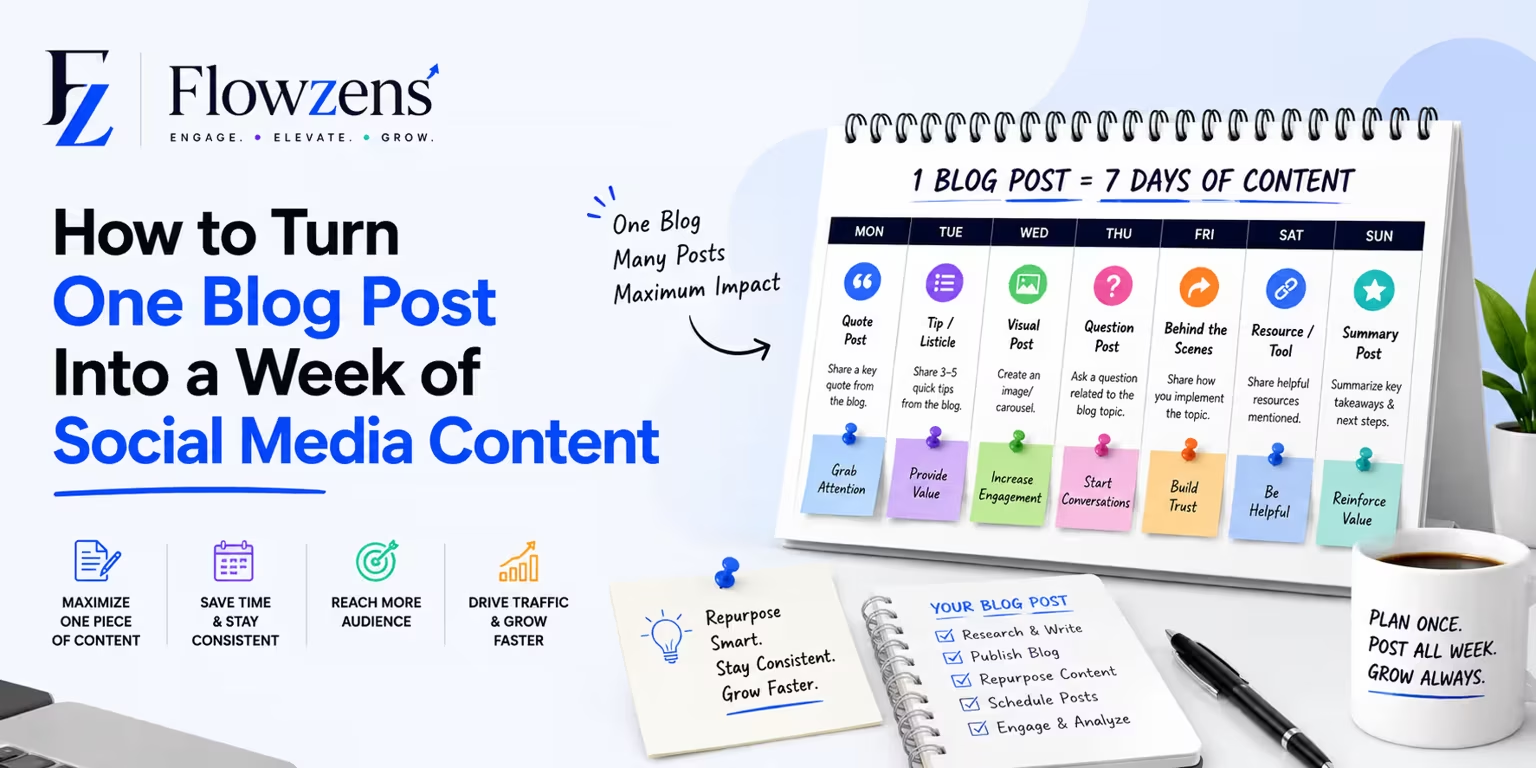
You already did the hard part when you wrote the blog post. Here's how to squeeze a full week of social media content out of it — without ever facing a blank page.
Writing a good blog post takes hours. Then most people share it once, get a handful of clicks, and move on. That's like cooking a giant meal and throwing away everything but a single bite.
The smarter move is repurposing — taking one blog post and reshaping it into many social media posts. One solid article can easily become eight to twelve pieces of content. And the best part? You're not starting from a blank page. The thinking is already done.
Here's exactly how to do it.
Why Repurposing Works So Well
Repurposing isn't lazy. It's how the most consistent brands stay consistent without burning out. A few reasons it works:
> One blog post is not one piece of content. It's a pile of raw material you haven't unpacked yet.
Step 1: Pull Out the Key Ideas
Open your blog post and highlight everything that could stand on its own. Look for:
A typical post has five to ten of these hidden inside it. Each one is a potential social media post.
Step 2: Match Each Idea to a Format
Now turn those raw ideas into specific post types. Here's a simple menu:
One section of your article can often become two or three different formats.
Step 3: Rewrite for Each Platform
Don't copy and paste the same caption everywhere. Each platform has its own vibe:
You're not rewriting the whole thing — just adjusting the hook and length so it feels native to where it's posted.
Step 4: Always Point Back to the Source
Every repurposed post should make it easy to read the full article. Add a simple line like "Full breakdown on the blog — link in bio" or drop the link at the end of a thread.
This is the quiet win of repurposing: your social media stops being a dead end and starts being a doorway back to your website.
A Real Example: One Post, Ten Pieces
Say you wrote a blog post called "7 Email Mistakes That Hurt Your Sales." Here's a week-plus of content from that single article:
That's eight posts, all from one article, all pointing back to the original. Suddenly a week of content took an hour instead of a week.
How to Make This Effortless
Repurposing is simple, but doing it manually for every blog post still takes time and discipline. That's the gap Flowzens closes. It reads the content on your website, understands what your business is about, and automatically turns it into a full calendar of platform-ready social posts — then publishes them for you. The "pull out the ideas, pick the format, rewrite for each platform" work happens on its own.
The Bottom Line
Stop treating each blog post as a one-time event. Treat it as raw material. Pull out the key ideas, reshape them into different formats, tailor each one to its platform, and always link back to the source.
You already did the hard part by writing the article. Repurposing just makes sure all that work actually gets seen.
Want to turn your existing website content into ready-to-post social media automatically? Try Flowzens free.
Ready to Autopilot Your Growth?
Let Flowzens manage your social media pipeline. Scrape your site, map strategy, generate visual calendars, and publish natively on autopilot.